To assess Fable for open-ended work, I set a challenge: a maximum of 20 minutes each morning to plan and discuss goals, build a harness that runs all day, then 20 minutes to review at the end of it. Along the way I tracked the most useful technique of the day and built an app I now use continuously.
The Challenge - to stop tab-hunting my agents
I am using OpenCode, pi, Codex, Claude Code and various model, across dozens of terminals and tabs, on multiple machines. Lots of different things going on at once - personal admin, coding, technical designs, assessments, backlog and roadmap management. Many tasks run in parallel, I jump between them. I am tired of ’tab-hunting’ - I wanted to be able to have each of these sessions report-in in realtime, and have a ‘jump box’ showing what is running and what needs attention.
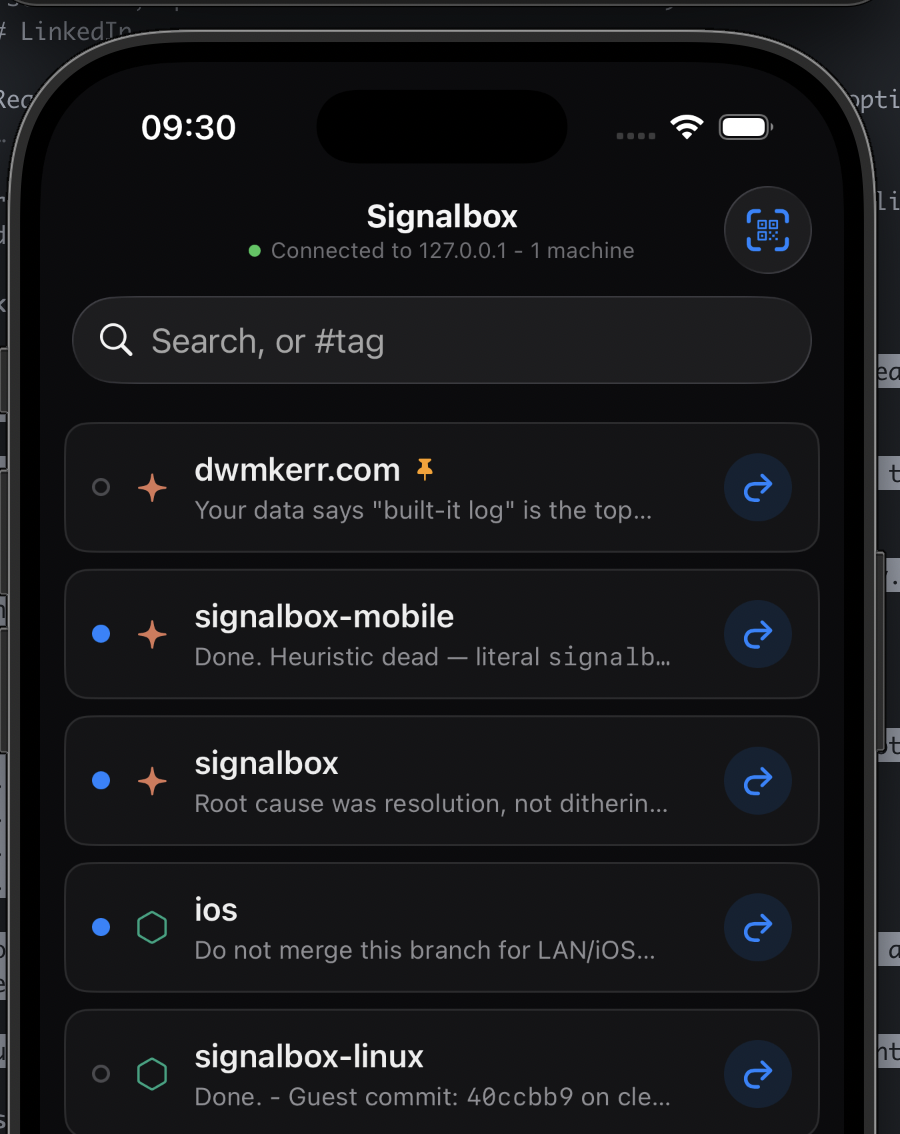
For bonus points, I want a mobile app that shows the same thing. And I want to be able to use across Claude Code, Codex, OpenCode, pi and Cursor.
Thus ‘Signalbox’ was born. All of the hero text / readme / commentary is hand-crafted and none of the code is:
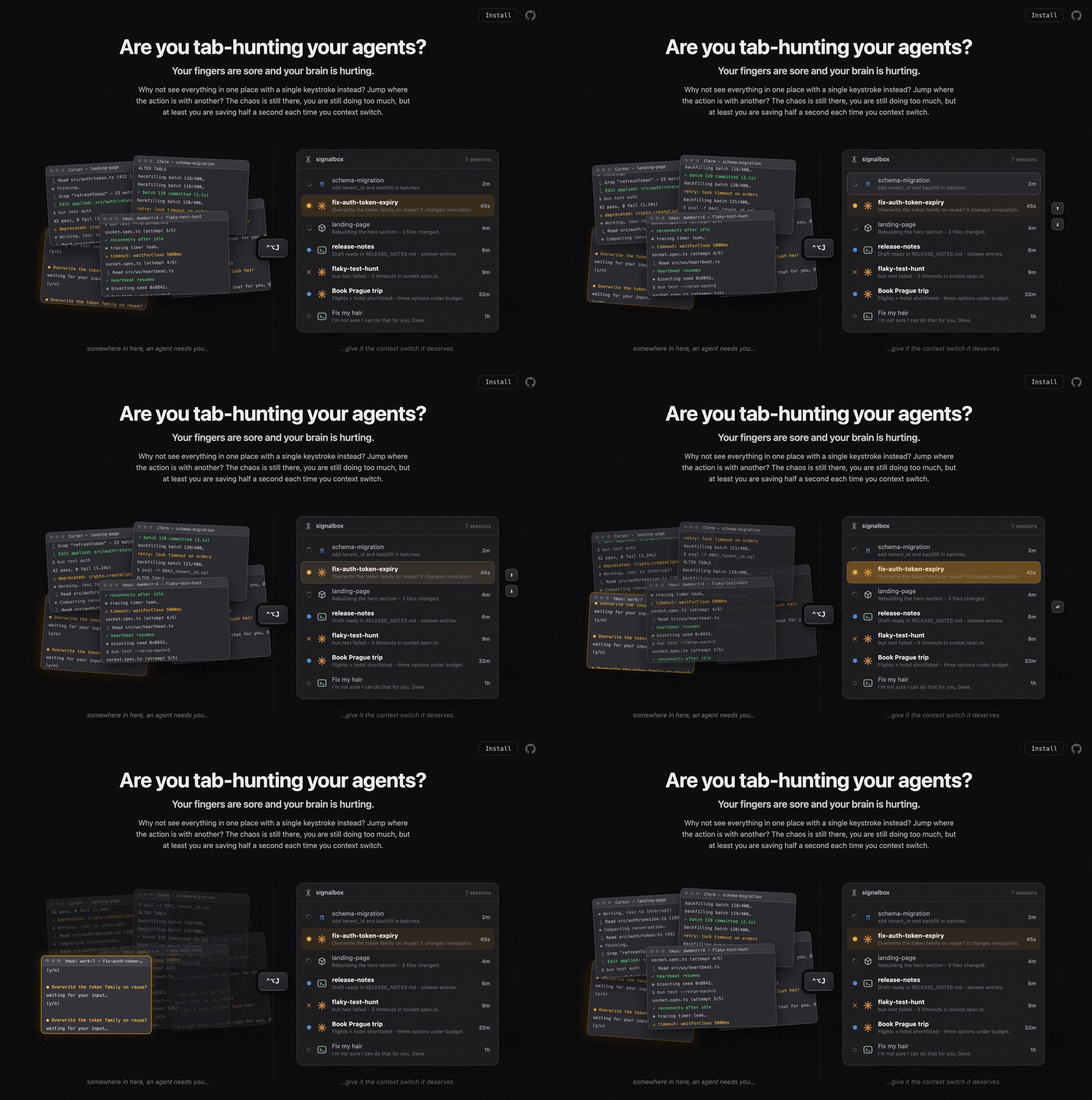
Check out Signalbox here: github.com/dwmkerr/signalbox.
The app works, I use it continuously, it’s evolving as the harnesses evolve, and now I can distract myself even more effectively. I have the mobile app open, 2x laptops, dozens of agents, and I’m not sure if life is better or not but I feel more confident giving a low-down of some of the techniques I used.
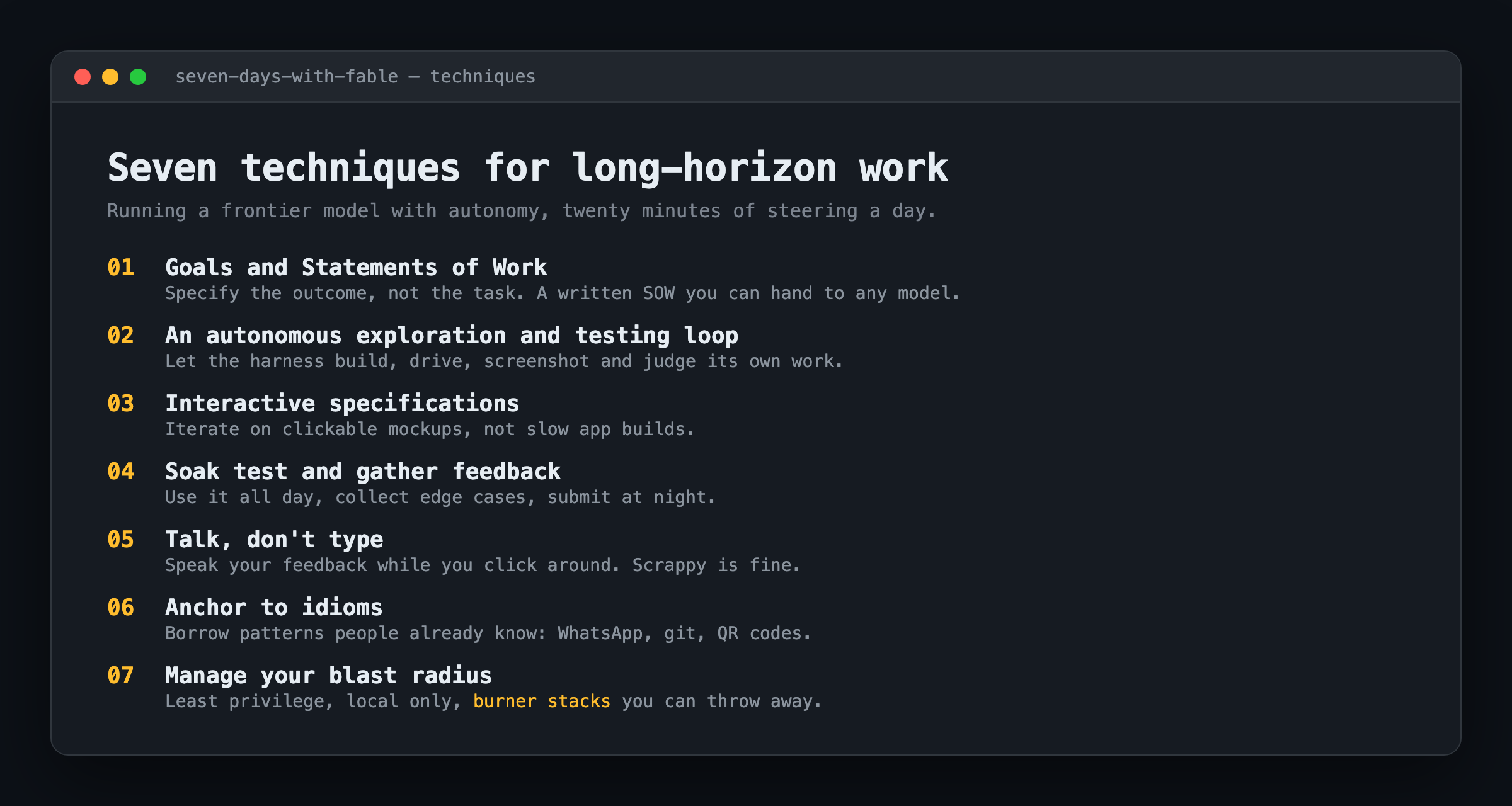
Skill 1: Goal Setting and Statements of Work
This is foundational and very well-discussed by others1 so I’ll keep it brief.
It is essential not to specify tasks (such as “Build me an app that shows sessions”) but instead to specify goals. I don’t want the agent to build an app - I want to have less cognitive load when handling many threads of work at once. Setting the high-level objective, then a 15 minute discussion with the agent on what might be ways to solve for this is critical.
The goal remains as a file for reference and lets the agent anchor itself on what is needed. Here is a slice of the actual SOW I handed over for the iOS app, a frozen contract another agent could pick up and run:
# SOW2: iOS app - scaffolding + hub connection

Owner:               agent B (mobile track)
Branch:              feat/ios
Runs parallel with:  SOW1 (remote hub + auth)

## Goal
An iOS app that runs on the simulator and on my physical device,
connects to a configurable signalbox hub, and renders the live
board, the same rows the macOS jumplist shows, streaming.
When goals are defined, I then typically spend a few minutes building a statement-of-work - what should the agent have done by the end of the day. SOWs are great because you can pass them to other agents - they fully define the objectives and agreed contract. This makes assessing Fable more rigorous - because I can pass the SOW to another model, run in parallel, and compare output and trajectory (GPT5.6 notes will be shared soon and are in progress).
Skill 2: Create an autonomous exploration and testing loop
The only way you can run work for hours, unattended, with open-ended problems, is to enable the harness to evaluate its own work. That doesn’t mean unit tests, that means that the coding agent needs to be able to build, and then other agents need to drive the application, see the results, evaluate, steer, repeat. It cannot be a ‘build, unit test, wait till next day’.
MacOS is hugely automatable. On day 1 I ensured the harness could run its own work, iterate, refine and needed (as well as setting the high level goal). This meant:
- build, install and launch the app on the macOS or iOS simulator (one
maketarget) - screenshot the running app and stream its console logs back to the agent
- run the full test suite and report pass/fail
- drive real coding agents through Shellwright to generate live session data to test against
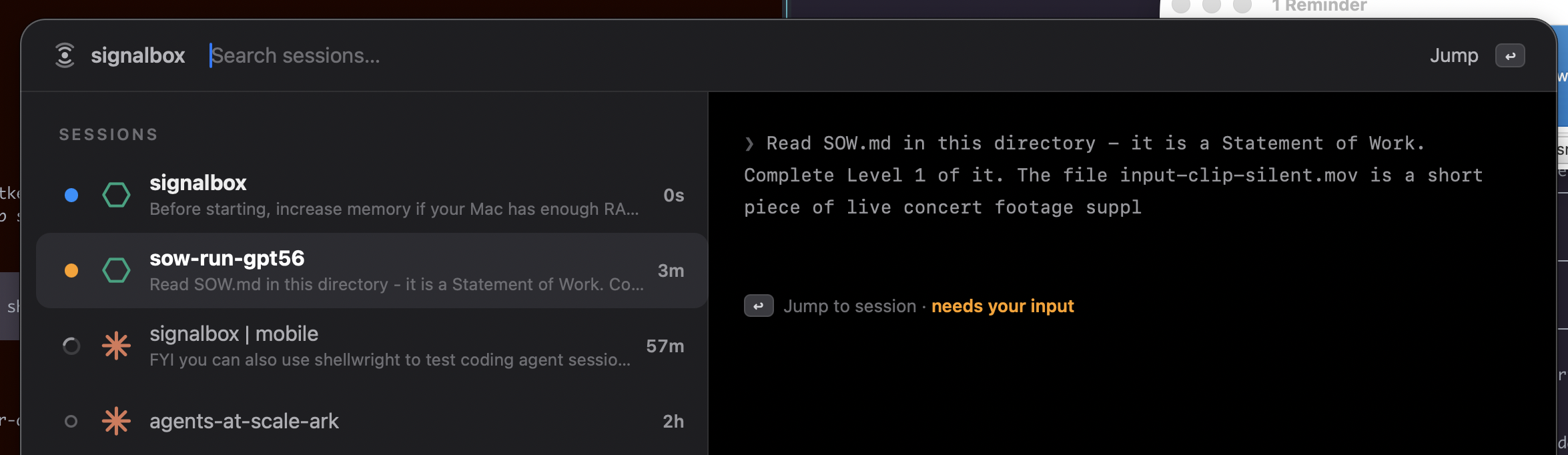
Here’s Codex running completely unattended and made visible on the board via Signalbox, no human watching the terminal:
One more thing makes the unattended run reviewable: have the machine keep a journal of what it did through the day, and an explicit log of every assumption it made to keep moving without me. The assumptions are what let it continue without intervention, but they are also the single most important thing to review carefully at the end of the day. A call it made at 2pm to avoid blocking is exactly the kind of decision you want to catch and discuss before it quietly compounds into the design.
This is the second and most essential technique.
Skill 3: Use interactive specifications rather than prototypes
There is no point rapidly building a prototype of a Swift app - compile and deploy takes too long. I want to see what we’re going to build in real-time, have a conversation, iterate extremely quickly, then lock down a design and move on.
Agents like Claude Code and models like Fable are exceptionally good at creating mock UIs, terminal recordings and so on. So in the morning we iterate on the specs for discussion rather than an app. I make sure that they are interactive, I can touch them, see different states and so on.
The specs are deployed and live, have a look at the menu bar spec here - they are interactive HTML, so you can open one and click through the states.
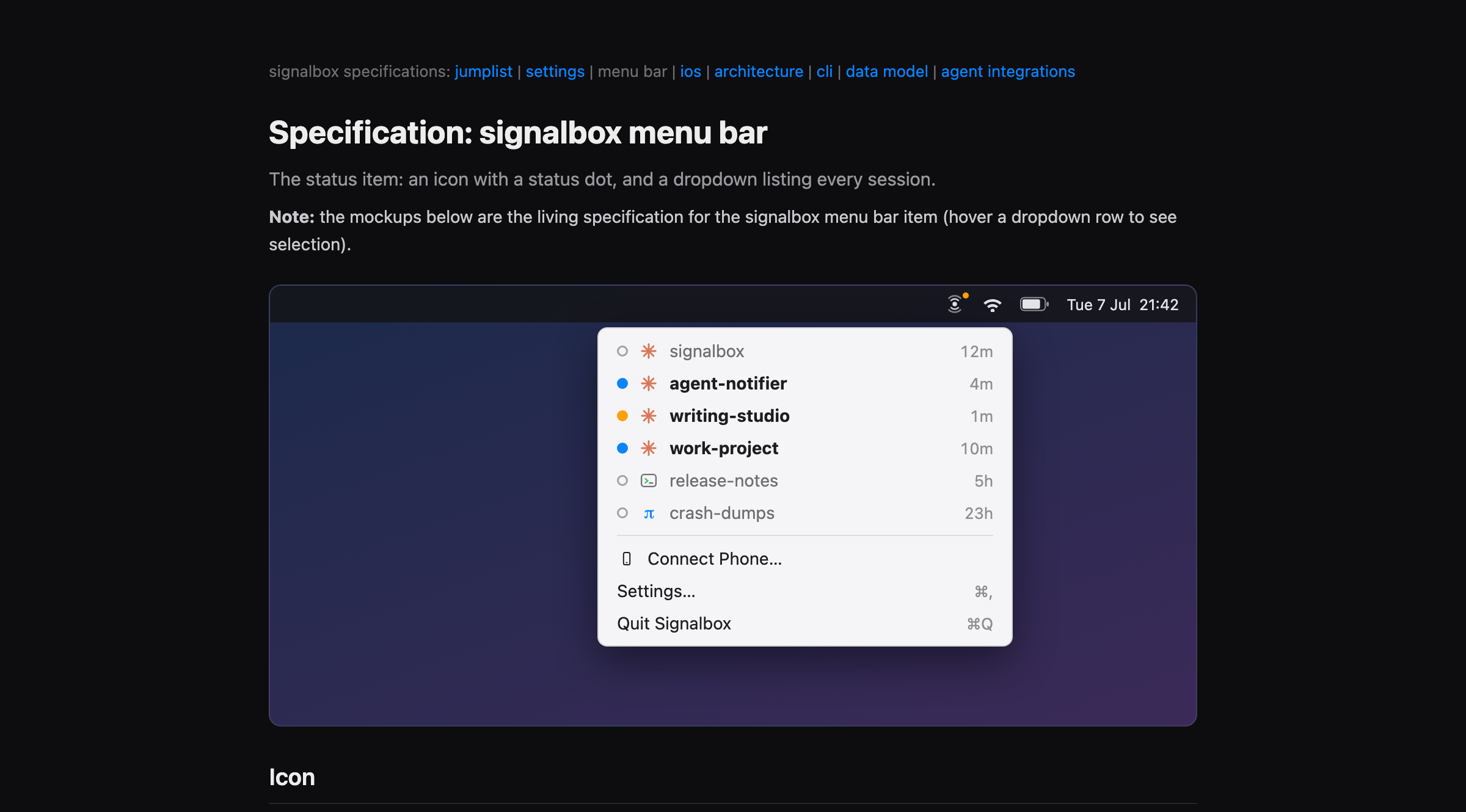
The specs live with the project, and are always available for me to work with. This reduces friction but also ensures intent is tracked rather than implementation.
Skill 4: Soak test & gather feedback
The solution is building itself throughout the day, in this case I was fortunate enough to be able to use it as the day goes on. This means I can ‘soak test’ - run it for a while and just accumulate learnings.
Gathering feedback throughout the day, and submitting at end of day is far easier than pausing, moving to the harness, pausing, and submitting. Throughout the day I naturally see edge cases - Codex sessions are not shown properly when they raise errors, or the icons for pi are missing, or session renames are not shown.
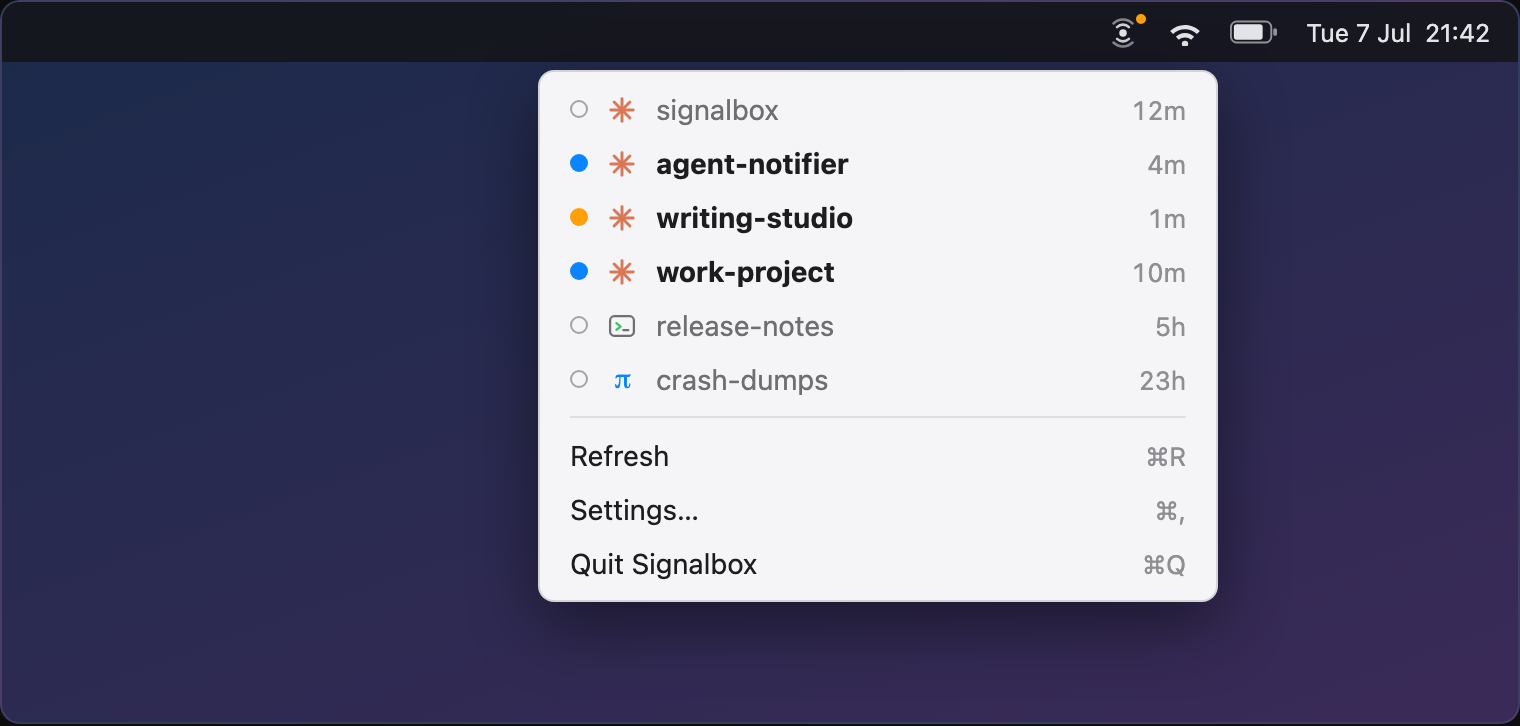
A long period of simply using the solution, rather than a short period where you attempt to exhaustively test, can be valuable - of course many (if not most) projects you cannot do this with, but investigating if there’s a way to soak test will help.
Skill 5: Talk - don’t type
Use whatever speech-to-text tool you want and talk. This has been the single biggest win over the last year. When I am giving feedback I just turn on recording, then click through things, look at the code, try the CLI, and talk along the way. Fable like all LLMs is extremely good at working with the input, even if scrappy and full of ‘umms’ - I can leave a page of feedback and talk very fast and in a more natural way.
Here is a real, unedited piece of feedback from the logs - me looking at a screen and thinking out loud:
the colors aren’t quite right, lets get the icons in. i don’t think we can be explicit for needs you / working right? this should probably be icons too. wouldn’t a suggest next changes, we’ll keep the mental model easy, recent is at the top right?
Skill 6: Anchor to idioms
Fable has been outstanding at building a menu bar app, jump-list, CLI and iOS app in parallel. However, like many LLMs it will often create ‘from scratch’. Things like the settings screen or visual structure were often creative but somewhat hard to understand.
The key technique here is to find the idioms that the harness to anchor to, and keep it on them. That reduces how ‘open ended’ the problem is and helps users build a mental-model - what you build will be familiar. Specific examples:
- Pinning sessions, deleting sessions, marking as read - use WhatsApp or iMessage UX patterns that people will be familiar with
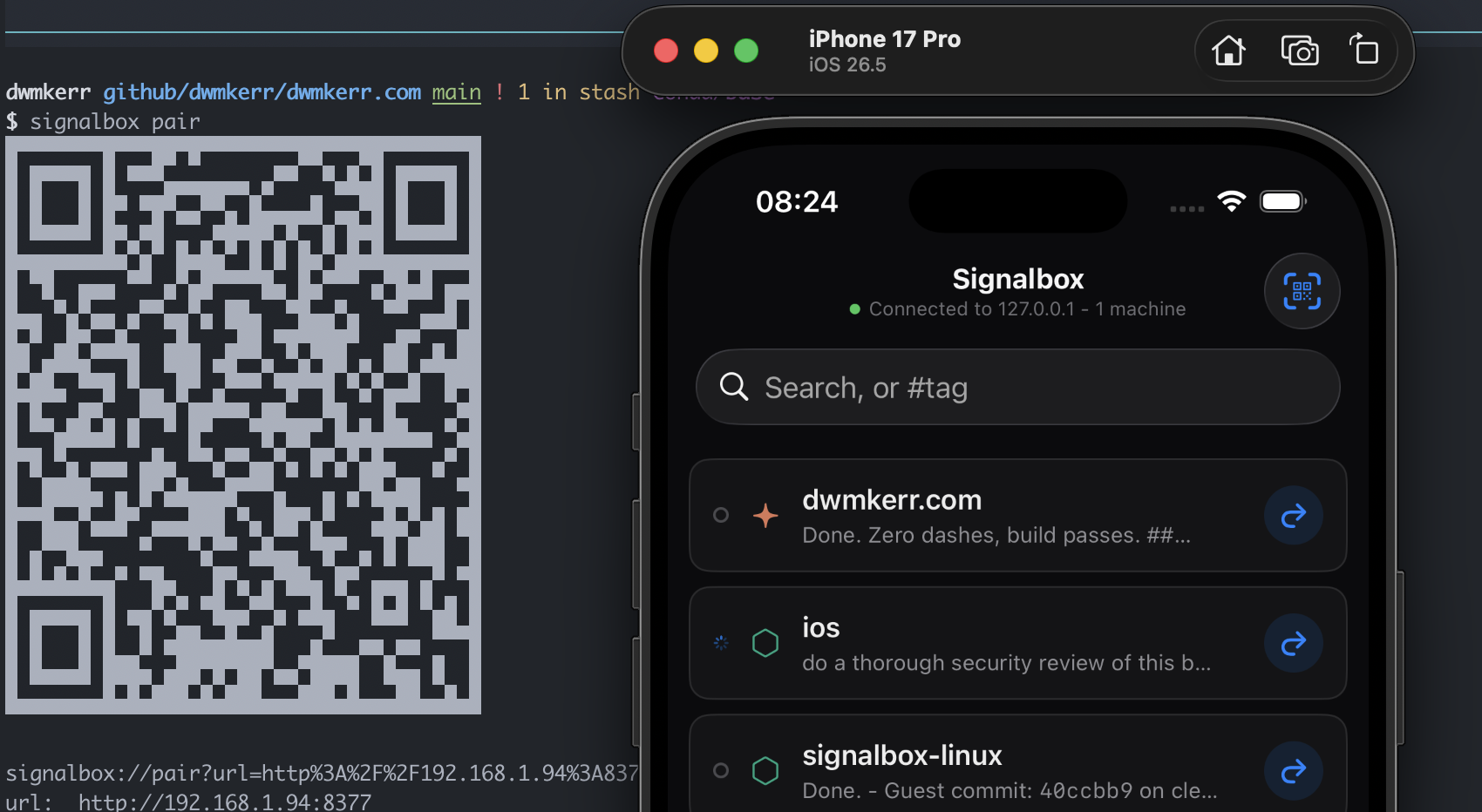
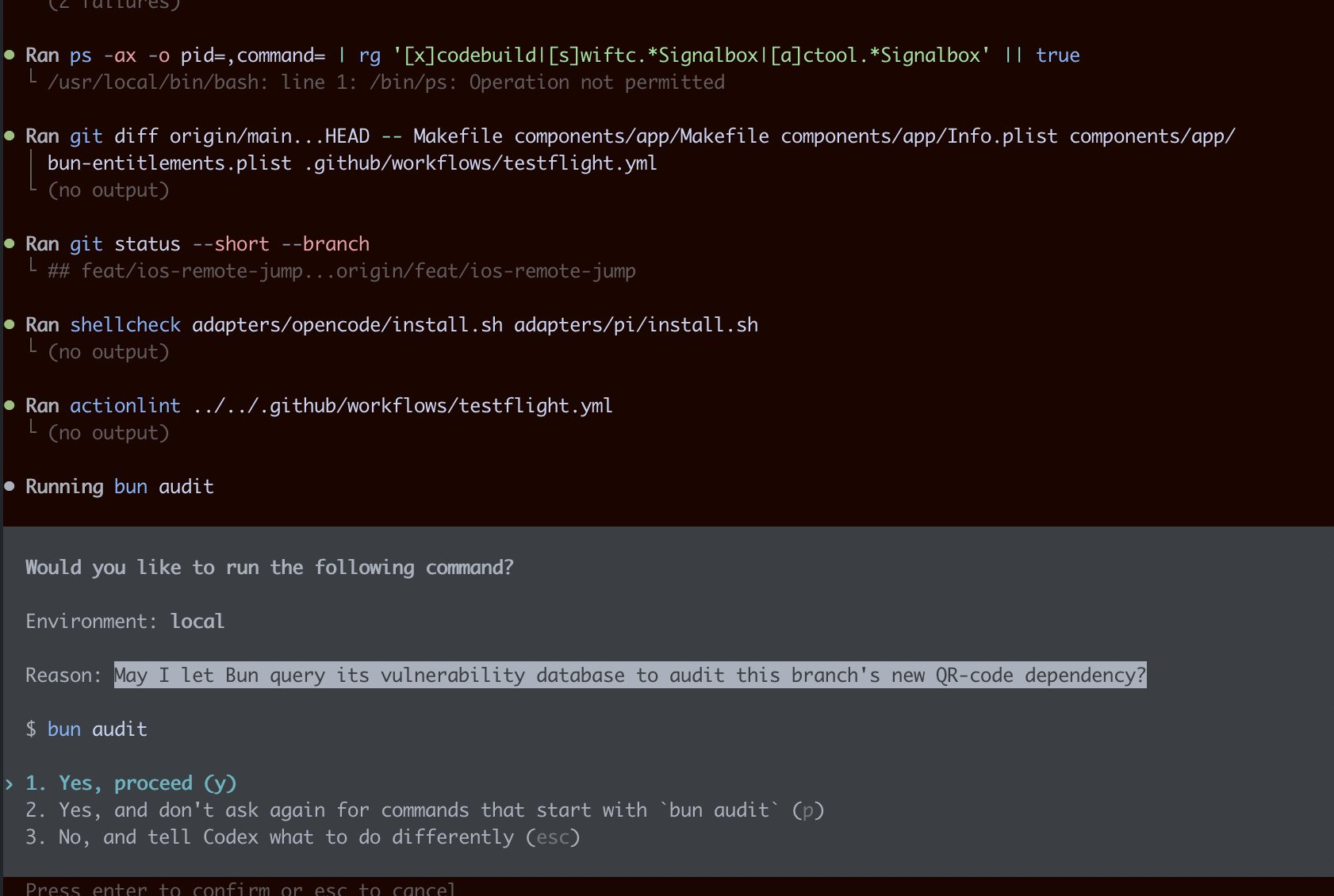
- Connecting via mobile - find what other solutions do that people will recognise (in this case, QR-code scanning)
- CLIs - use patterns familiar from
git,gh, or other common tools
Skill 7: Manage your blast radius (essential)
This one is essential for models like Fable. You must manage your blast radius - what is the amount of damage that can happen if something goes catastrophically wrong. Fable is extremely good at working around issues, there’s a superb write-up on this from Simon Willison (Fable’s judgement). If you want the system to run all day, it needs the autonomy to solve problems and take action, but to have boundaries.
In this case specific examples are:
- Coding sessions use separate GitHub credentials with fewer permissions than my main user
- API keys are fine grained (this is obvious, but it very easy to be lazy)
- The system only runs on the local network - at this point no deployment to remote
- Security-sensitive paths are off-limits to the autonomous run - while scaffolding I explicitly told Fable to skip anything flagged security-sensitive rather than act on it
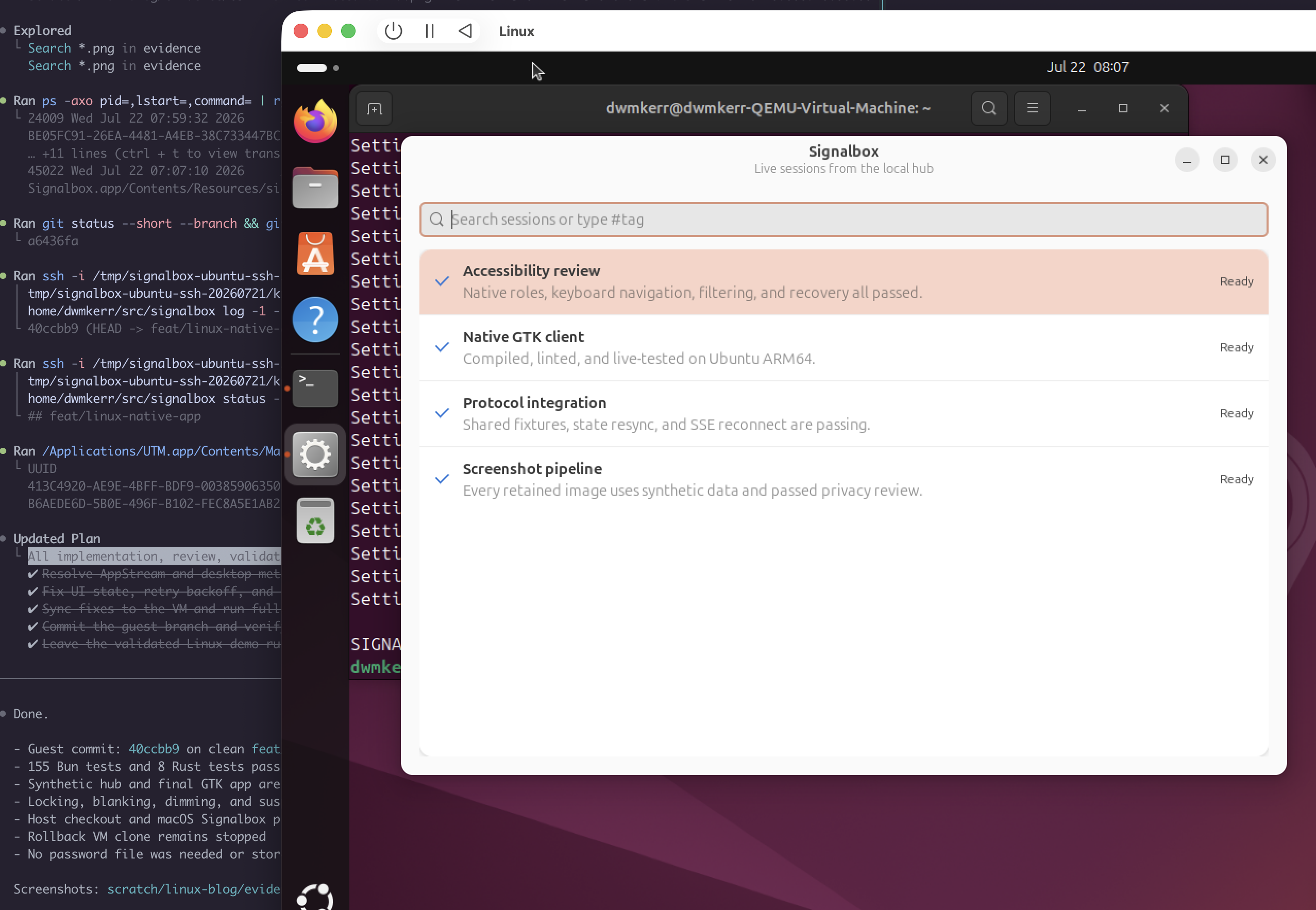
- For anything riskier, run the whole thing in a disposable environment - a throwaway VM or an ephemeral cloud box, a ‘burner stack’ you can burn and recreate. If the blast radius is a stack that no longer exists tomorrow, autonomy is a lot cheaper to grant
Thoughts on Fable
If I try to distill what I found Fable notably better at than Opus or other models (bar some more recent ones):
- Exceptionally good at building its own machinery. The MacOS builds, testing tools, systems to generate synthetic data, screenshot collection, driving UIs, distribution
- Following standard patterns - when anchored. Once I’d researched common patterns for settings screens, menubar and jump type apps, and mobile connections (gathering evidence, case studies, etc), Fable was very good at staying grounded to these standards. However, without that up-front work it would have built clever but overly complex interfaces
However, two observations stand out.
The first is that I still needed to review the spec and technical design, heavily. At the end of the day the system would be far far forwards, but a review of the commands for the CLI, the data model, the architecture would show sometimes quite significant anti-patterns. These wouldn’t stop the solution from working, but over time they’d have compound effects on complexity. A thorough end-of-day review of the actual design was still essential and paid dividends.
The second is that Fable will drop itself to Opus the moment it thinks it is doing security work, and a surprising amount of ordinary work triggers it - p12 signing certificates, app signing, checking for risks around networking. It is a sensible safety instinct, but it fires on tasks that are not really security-sensitive, and it got frustrating enough that most of my thorough code and risk reviews I ended up running with GPT5.6 instead.
Signalbox is on GitHub, brew install dwmkerr/tools/signalbox. It was built in about a week of mornings and evenings, mostly by Fable, mostly while I was doing something else. The tool is useful. The loop is more useful.
For example Simon Willison on letting the model use its own judgement, and the Claude Fable 5 Prompt Library - the useful shape is less the specific prompts and more packaging the work as briefs, keeping a human in the loop for what needs judgement. ↩︎